How to PlayPirates: Sails of Infamy
‹ Back to the gameThe game picks the right controls for your device on its own. Touch buttons appear on phones and tablets. A gamepad works on any device.
iPhone & mobile
At sea, at the wheel
| Steer | Joystick (bottom left) |
| Raise / lower sail | Sail + Sail − |
| Fire port / starboard broadside | Port Stbd |
| Repair the hull with wood | Fix |
| Dock, board, lash alongside, leave the wheel | ◆ (lists the choices when there are several) |
On foot: deck, town, boarding
| Walk / run | Joystick (push it all the way to run) |
| Slash: strong, short reach | Slash |
| Thrust: long reach | Thrust |
| Block (hold) | Block |
| Pistol | Shoot (aims itself) |
| Punch · Jump | Punch Jump |
| Interact: doors, shops, the wheel, talking, firing the guns from the rail | ◆ |
Anywhere
| Chart (map) | Tap the minimap |
| Pause menu | Open the chart → Menu |
| Inventory | Tap the ship & captain card |
| Zoom | Drag up or down on the right side of the screen |
| Drink a healing tonic | Tap “Tonic” on the status card |
| Chat | Chat button, bottom left of the pad |
| Hide / show weapon buttons | Press and hold ◆ |
Desktop & keyboard
At sea, at the wheel
| Raise / lower sail | W S |
| Steer | A D |
| Fire port / starboard broadside | Q E |
| Repair the hull with wood | R |
| Dock, board, lash alongside | F |
| Leave / take the wheel | G |
On foot: deck, town, boarding
| Walk · run · jump | WASD · hold Shift · Space |
| Slash | J or left-click |
| Thrust | K or middle-click |
| Block (hold) | L or right-click |
| Pistol | Q or I (the mouse aims) |
| Punch | U |
| Interact: doors, shops, talking, firing the guns from the rail | F |
| Drink a healing tonic | H |
Anywhere
| Chart · pause | M · Esc or P |
| Zoom | Mouse wheel |
| Inventory | Click the ship & captain card |
| Chat · trade with a nearby captain (online) | C or / · Y |
Gamepad: left stick steers and walks, RT/LT or the D-pad set sail, LB/RB fire, X interacts, Y takes or leaves the wheel, B repairs. Start pauses and Back opens the chart.
You start as captain of a small sloop in a Caribbean port. Trade, fight, take prizes and build your fortune. You can play alone or alongside other captains online.
Sailing & the wind
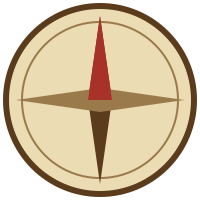
Your ship has three sail settings: anchored, half sail and full sail. The compass shows the wind. You go fastest with the wind behind you and slowest sailing into it. The wind slowly shifts and gusts. Running aground at speed damages the hull.
To dock, slow down near a port's pier and press interact. Your crew bring her alongside, put out mooring lines and lower the gangplank. Then let go of the wheel and walk ashore. To leave, walk back aboard, take the wheel and cast off.
Ships at sea
Other ships sail the trade routes. Only pirates attack without being provoked. Everyone else fights back or runs once you fire on them.
 MerchantsLightly armed and full of cargo. They run.
 NavyWell-gunned warships with hardened crews.
 PiratesAttack anything. They may grapple you and board.
 Treasure galleonsFound through tavern rumours. Heavy guns, heavy silver.
Broadsides
Your guns sit along both sides of the ship. Turn so the enemy is beside you, then fire the port or starboard broadside. Each side reloads on its own, and a crew short of men reloads more slowly. Every shot uses cannonballs from the magazine.
Firing from the deck: you don't have to be at the wheel. Walk to the rail on either side, stand beside the guns and press interact to fire that broadside.
Bow-first ramming badly damages the ship you hit, and your own ship a little.
Ship damage
Every ship, yours included, shows how badly it's hurt:
Repair at sea with wood from the hold, or pay a shipwright in port to fix every hull point.
Boarding
A ship beaten down to zero hull strikes her colours. Sail alongside slowly and press interact to board her.
- Grappling hooks fly across, your crew haul her alongside and the plank drops between the two decks.
- You stay at your own wheel. When you're ready, let go (G / ◆) and cross the plank yourself. You can also cut the lines and cast off from the wheel.
- Your crew fight too. Some hold your rail and fire muskets across, and some charge over the plank. Her defenders shoot back, or stand and defend their deck.
- Pirates only: pirate crews also storm across the plank onto your deck.
- When every defender is down, the ship is yours. Stand on her deck to plunder the hold, taking whatever fits. She is scuttled once you're done.
If you fall in the fight, your crew drag you back to safety, and a hand or two may be lost.
Crew, provisions & morale
 Crew: works the guns and fights beside you. Hire hands at the tavern.
 Food and
 rum: eaten at sea. Run out and morale falls.
 Cannonballs: every broadside uses them.
 Repair wood: patches the hull at sea.
 Trade goods: sugar, tobacco and spice. Buy low, sell high.
Gold: weighs nothing in the hold.
Low morale slows the ship. At zero, sailors start to desert. Below deck your gun crews work the cannons, and in battle your deck hands arm themselves from the chest.
Ports
Walk the streets and press interact at a door. Prices differ from port to port, so trade where goods are cheap and sell where they're dear.
- General store: provisions, shot, wood, trade goods and healing tonics.
- Shipwright: repairs, bigger ships (sloop, brig, frigate, galleon), guns, hull and sail upgrades, paint and renaming.
- Tavern: hire crew, take contracts from the notice board, buy rumours and drinks.
- Governor: letters of marque, and selling your house back to the crown.
- Homes: buy a house or rent a room, and furnish it from the cabinetmaker.
- Tailor and luxuries: outfits, trinkets and rings.
Fighting on foot
Slashes hit hard at short reach, thrusts reach further, and a held block stops most blows. Your pistol needs to reload between shots. There's no separate threaten: hit someone instead. A punch may scare them off, make them hand over their purse, start a fist fight or send them running to the guards. Steel or a shot usually sends them fleeing for the guards, but some fight back armed. Guards always fight, and laying a hand on a governor makes you most wanted in that nation. Attacking townsfolk raises your wanted level, and guards come for you. Get beaten senseless ashore and you lose part of your purse. Drink too much in the tavern and you'll wake up in the gutter.
Missions & treasure
Tavern notice boards offer contracts such as deliveries, bounties, duels and escorts. Active missions appear on the chart. Rumours bought in a tavern mark a treasure galleon's position on your chart.
If your ship sinks
You wash ashore at the nearest port. If you have the gold, you pay for a brand-new sloop. If not, the local governor gifts you a battered old sloop at 25% hull.
Online world & PvP
Sign in to sail alongside other captains. You can chat, trade goods, lash your ships together, sign on as another captain's crew, or marry in church.
- Sailing as crew: stand at the wheel and interact to steer while the captain is off the helm. You can fire their guns and fight boarders beside their crew and theirs alongside you.
- Other captains' stores: below deck on another captain's ship you can eat from their larder, pour their rum or take a tonic from their medicine chest. It comes out of their supplies.
- Houses: empty houses and rooms can be visited by everyone at once. Once someone buys or rents one, it's locked unless they're home. When the owner leaves, every guest is shown out.
Captain against captain
- Another captain's broadsides can't sink you. At zero hull your ship is disabled: she can't sail or fire, and she takes no more damage.
- The attacker has 30 seconds to come alongside and board. If they don't, or if they sail away, you get your ship back at 5% hull.
- Once lashed together, both captains fight on foot across the decks, and so do both crews: some sailors cross the plank, the rest fire muskets from the rail. The first captain to fall loses.
- The winner takes whatever they want from the loser's gold and cargo. Then they choose to sink the ship or return it.
- Sunk: the loser washes ashore at the nearest port and gets a new sloop under the rules above. Returned: the winner goes back to their own ship, and the loser takes control again with both captain and ship at 5%.
- This works both ways. If the attacker falls, the defender takes their pick of the attacker's ship.
Saving
Single Player saves on this device whenever you dock, or from the pause menu. Online progress saves automatically to your account. Pausing doesn't stop the world while other captains are around.